Sound Blaster AWE32
2024-10-18
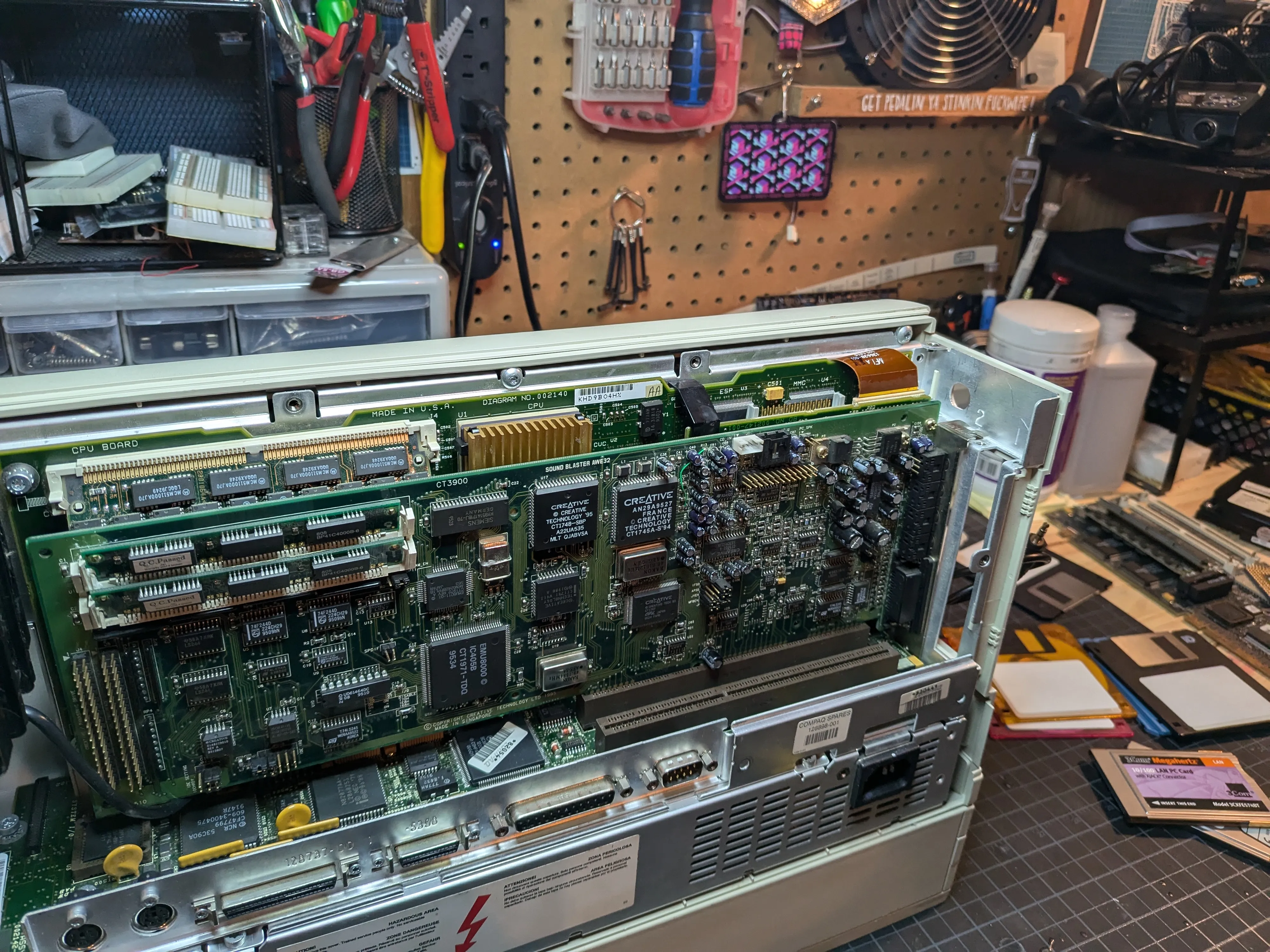
Creative Sound Blaster AWE32 IDE/MKP CSP (CT3900)
No onboard audio, so one of the two EISA slots goes to a Creative Sound Blaster AWE32 IDE/MKP CSP (CT3900). One of the best ISA sound cards ever made. Sound Blaster and AdLib compatibility, Yamaha OPL3 FM synth (YMF262), Creative’s EMU8000 wavetable with 512 KB sample RAM (expandable to 28 MB via SIMMs).
Pentium-class CPU, wavetable audio, DOOM at full speed. At some point this stopped being a restoration and started being the 486 gaming machine 12-year-old me always wanted.
CT3900 has an IDE interface and CSP socket too, but I don’t use either. Compaq already has IDE on the backplane.
Why the CT3900
Went with the CT3900 because it’s not Plug and Play. Later AWE32 and AWE64 revisions use ISA PnP, which needs a PnP-aware BIOS or Intel’s ICU to assign resources. My Compaq’s BIOS doesn’t do PnP, and I didn’t want to mess with configuration utilities just to get sound working.
CT3900 uses jumpers. Set the IRQ, DMA, I/O port right on the card. Works at boot. No BIOS support needed, no TSRs, no setup utilities. Set it once, done. Moving on.
See AWE32 Getting Started Guide (PDF) for the original Creative manual (v1.4, December 1996).
TODO: Add configuration details (IRQ, DMA, I/O port settings).